HarpiyoCRM
Harpiyo CRM

Harpiyo CRM Features

Everything you need to manage contacts, organisations, activities, notes, documents and more — in one Windows CRM designed for independent professionals.

Coming soon to Microsoft StoreExplore all features ↓
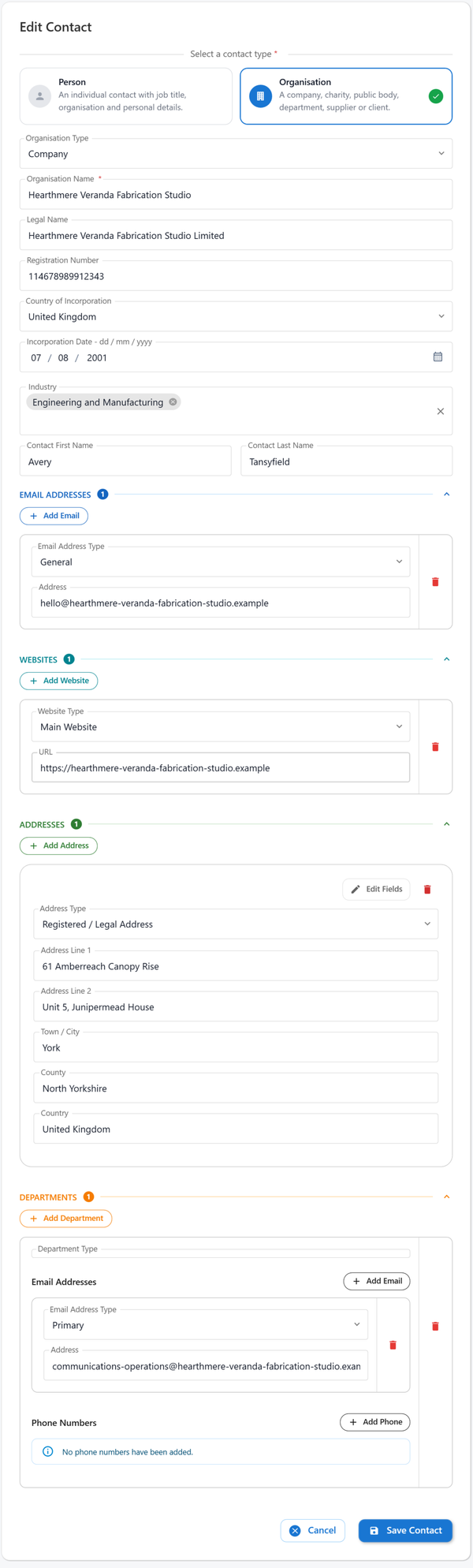
Harpiyo CRM Edit Contact form for an organisation, showing company details, email, website, address and departments

Contact Management

Keep useful information about the people and organisations you work with in structured, easy-to-manage records.

People & Organisations

Maintain dedicated records for individual people and organisations, with information appropriate to each contact type.

Quick Contact Creation

Create a contact with just a name, then add further details whenever you need them. There is no large form to complete before a contact can be saved.

Multiple Contact Details

Store multiple email addresses, phone numbers, websites and addresses against a contact.

Detailed Person & Organisation Records

Store useful information appropriate to each contact type — for people and organisations — without forcing you to complete fields that are not relevant.

Departments & Industries

Capture relevant organisation information including departments and industries.

Quick Contact Actions

Use contact actions to pass email addresses, phone numbers and website links to the appropriate application or browser configured in Windows. Starting an email action can open a new message addressed to the selected email address. Availability depends on the applications installed and configured on the computer.
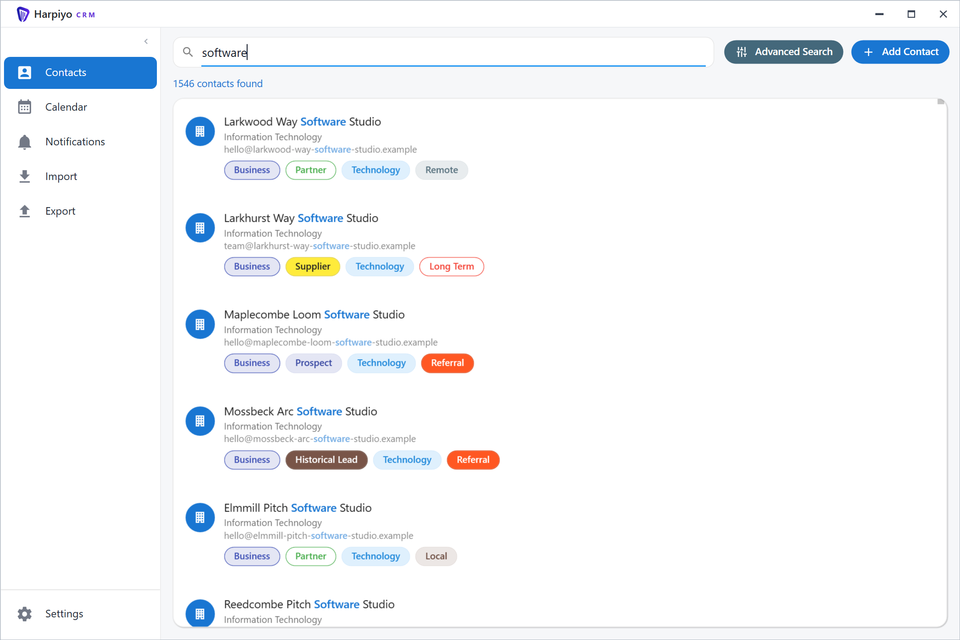
Harpiyo CRM contact search for software, with matching organisation names highlighted and contact tags

Search & Organisation

Find the contact or information you need quickly, even as your CRM grows.

Flexible Matching Options

Searches can use a range of matching modes so you can find contacts in the way that suits your data: Starts with · Ends with · Contains · Exact match

Tags

Use tags to help organise and find relevant contacts and information.
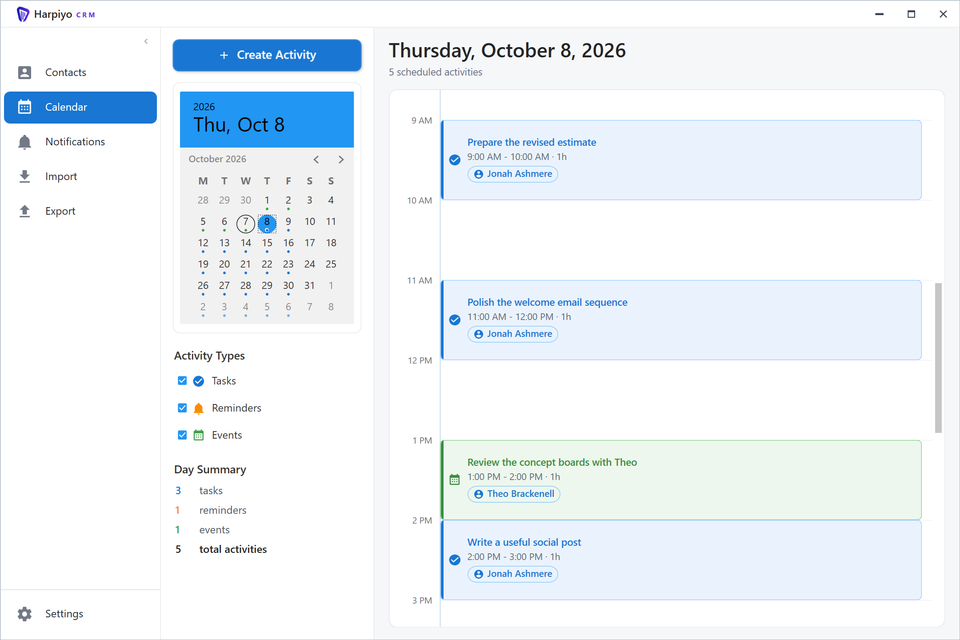
Harpiyo CRM calendar showing scheduled tasks, reminders and events for a selected day

Activities & Calendar

Stay on top of what needs to happen. Log activities against contacts and keep upcoming work easy to see and act on.

Activities

Keep activities associated with the relevant contact so context is always close at hand.

Calendar

View scheduled activities and upcoming work in one place.

Reminders & Follow-ups

Set reminders and follow-up actions to help keep track of work that needs attention.

Notifications

Harpiyo CRM can surface notifications for due and upcoming activities so important actions are less likely to be missed.
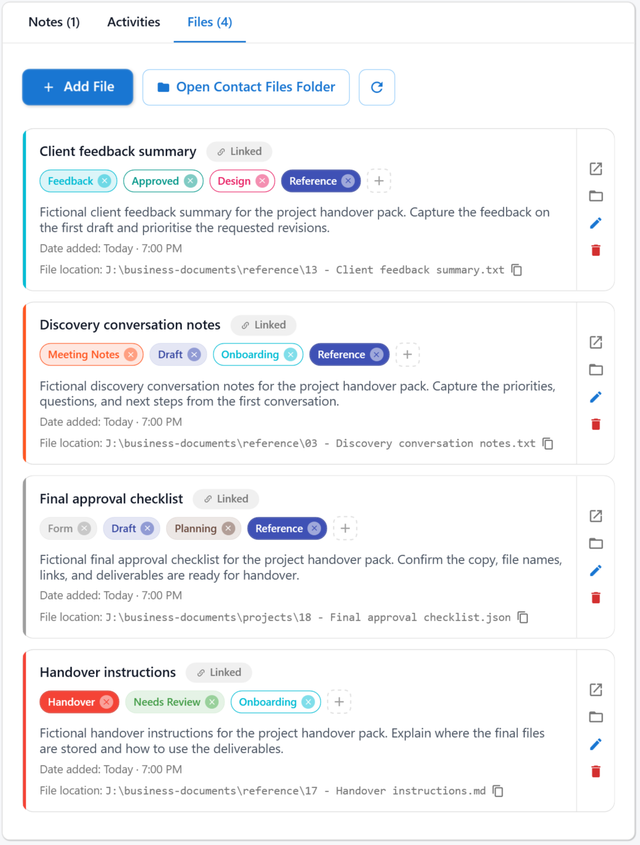
Harpiyo CRM contact files with linked documents, descriptions and coloured file tags

Notes & Documents

Capture useful information and keep relevant files connected to the right contact.

Contact Notes

Record useful information against the relevant person or organisation.

Files & Documents

Keep relevant documents and files associated with the appropriate contact. Files are stored on your computer and open using the default application configured on your Windows PC.

File Tagging

Use tags to help organise stored files and make them easier to find.

Notes and attached files can also be found using Advanced Search.
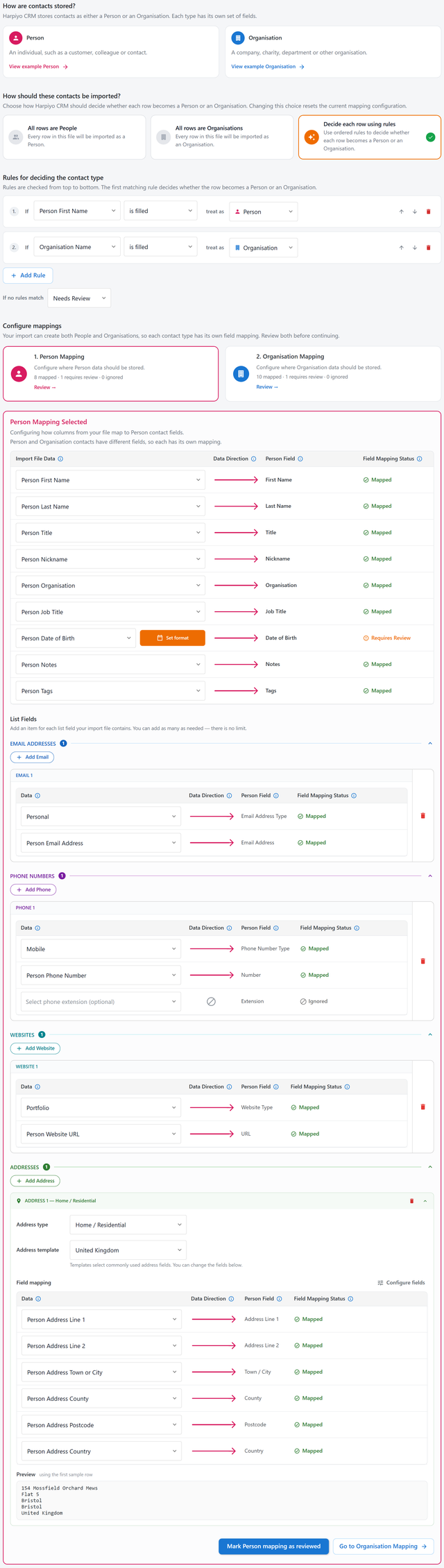
Harpiyo CRM CSV import showing contact type rules and person field mappings for contact details

Import & Export

Bring existing contacts into Harpiyo CRM from CSV and export your data whenever you need it. The import workflow guides you through each step before any data is committed.

CSV Import & Export

Bring existing contacts into Harpiyo CRM from CSV and export contact information when required.

Guided Field Mapping

Map imported CSV columns to fields in Harpiyo CRM before the import is committed.

Import Validation & Issue Resolution

Identify data that needs attention and review how values should be handled before completing the import.

Existing-Contact Matching & Merging

Identify potential matches with existing CRM contacts and choose how imported information should be handled.

Large, Resumable Imports

Harpiyo CRM is designed to handle large imports and supports pausing and resuming relevant import processing where applicable.
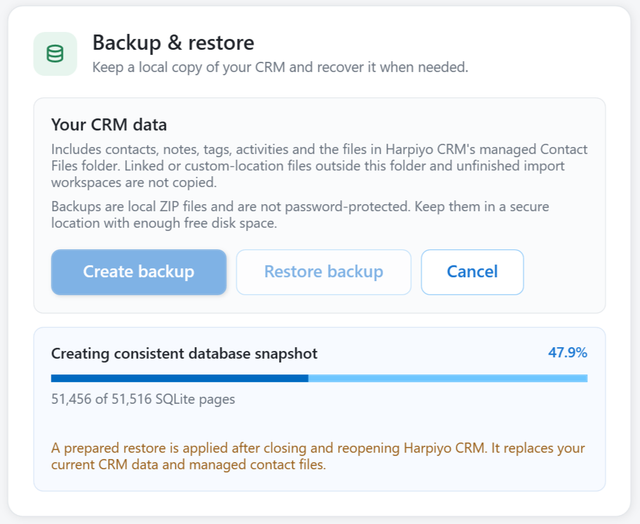
Harpiyo CRM Backup and restore dialog showing local backup contents and database snapshot progress

Data & Backup

Your CRM data is stored on your own Windows PC. Harpiyo CRM includes tools to back up and restore your contact database.

Local Data Storage

CRM data is stored locally on your computer; no Harpiyo CRM-hosted cloud server is required for everyday CRM data storage.

Backup & Restore

Create a backup of your CRM data and restore it when required, so your contact information is protected against loss.

Large Contact Databases

Harpiyo CRM is designed to remain practical with large contact collections.

Ready to organise your contacts?

Coming soon to Microsoft Store

Preparing for release on Microsoft Store